
Controllers look alike on the shelf. They do not behave the same in your hands. Dead zones, wear, manufacturing spread, and how far you push the stick all change what “neutral” and “full tilt” mean for your hardware. Software that assumes a generic stick often produces mushy aim, early saturation, or corrections that work against the game.
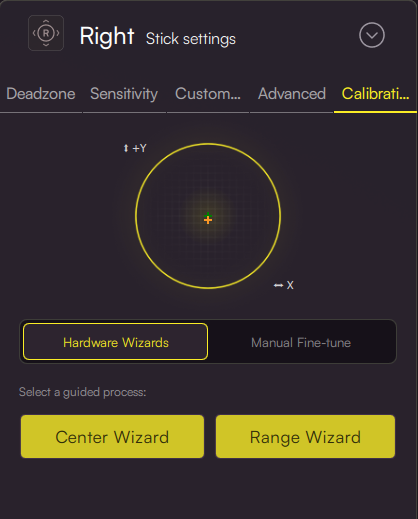
DriftAline sits between your physical pad and what games see. The calibration wizard is how we align that chain with reality. It is a short, guided flow. You move the left and right sticks as the steps describe. The app records a solid center and range and the calibration context we store in your profile. Nothing flashes the controller firmware. Everything stays in your DriftAline profile. You can run it again after a new pad, noticeable wear, or any time you want a clean baseline.
We made the flow guided on purpose. Calibration is easy to botch when you guess directions or timing. The wizard orders the steps so the processing behind the scenes gets usable data instead of a vague wobble and hope.
Good times to run it:
First serious tuning session for this pad in DriftAline. A new controller, or one that feels different than before. A shift in games or genres where you want predictable aim again.
When it appears:
Calibration onboarding runs for users with an active license, so setup matches people who are actually using the product.
If you have been skipping calibration because it sounded fussy, try the wizard once. Generic stick assumptions and a profile that learned your hardware produce a different feel. That gap is what the wizard closes.